AI CONTENT CREATION COURSE
AI Content Creator
Turn an idea into a finished video with AI. Learn to research, write scripts, create visuals, add voice and music, and edit your own video through recorded lessons.
Teaching since 1993 in four countries
Israel · 1993
Germany · 2017
USA · 2024
Austria · 2026
MY-AIT Career Consultation USA
20 min • Free
LICENSED & CERTIFIED

DEKRA
AZAV-certified

Florida CIE
License no. 13240

Ministry of Labor
Israel, no. 48423
ABOUT AIT
AIT in figures
1,000+
Students trained during 2025
30+
Years of teaching tech skills
6
Campuses & coworking spaces
73%
Graduates hired after study
Hiring rate: school-wide results, verified in a DEKRA audit.
Creative platforms
Explore tools for visuals, sound and editing as parts of one video-making process.
Images & video
Kling
AI video
ElevenLabs
Voice generation
CapCut
Video editing
TOOLS
Your creative toolkit
Connect research, scripts, visuals and sound in one workflow. Explore each tool’s role and check its output as you build your video. Tools may change as services evolve.
Gemini
Google Flow
Perplexity
Kling
Claude
ElevenLabs
Nano Banana
Suno
METHOD
How you’ll learn
Watch the lesson.
Make it your own.
Follow a recorded introduction to AI-assisted content creation. Pause to try the tools, apply each step to your own idea and bring the pieces together in a finished video.
Explore
Research a topic, check sources and choose an angle that fits your audience.
Create
Develop a script, images, video, voice and music. Experiment with how they work together.
Edit
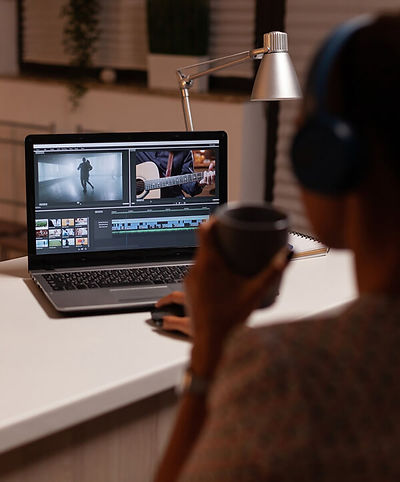
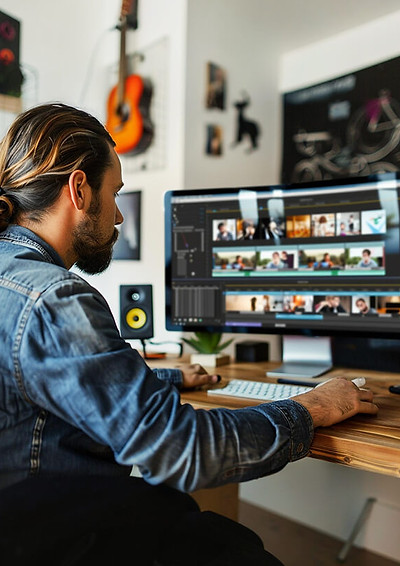
Assemble your material in CapCut. Review the pacing, sound and story, then refine the final video.
CURRICULUM
Course curriculum
Four practical blocks take you from an idea and script to visuals, audio and a complete video. Learn through seven recorded lessons and a bonus.
01
Research & Script
Use Gemini, Perplexity and Claude to explore a topic, check source information and develop an angle. Structure a script around your audience and the story you want to tell.
Gemini · Perplexity · Claude
03
Voice & Music
Explore voice generation with ElevenLabs and music creation with Suno. Choose sound that fits your story, pacing and purpose.
ElevenLabs · Suno · Sound choices
02
Images & Video
Create visual material with Nano Banana and explore video with Google Flow and Kling. Build scenes that feel consistent and support your story.
Nano Banana · Google Flow · Kling
04
Editing & Social Content
Bring your material together in CapCut and finish your video. Use the bonus lesson to explore content and promotion for social platforms.
CapCut · Final video · Social media bonus
OUTCOMES
Skills you'll gain
Develop a clear idea and script
Research with AI and check sources
Create images for a visual story
Experiment with AI-generated video
Combine voice and music with visuals
Edit a complete video in CapCut
Build a process you can use for future videos

INCLUDED
More than a course
Seven recorded lessons
Follow an introduction to the main stages of creating video with AI.
A bonus on social media
Explore content and promotion for social platforms in an additional lesson.
Your own creative idea
Apply the lessons to a topic and story you want to develop.
Research & scripts
Explore AI assistants and check source information before shaping your script.
Images & video
Try visual tools and build scenes that work together as one story.
Voice & music
Experiment with generated voice and music, choosing sound for your video.
Editing in CapCut
Bring the parts together and finish a video you can review as a complete piece.
Learning at your pace
Watch, pause and practise when it suits you, within your course access period.
A process you can repeat
Build a sequence of steps you can apply to future content ideas.
COURSE ACCESS
Get access to the AI Content Creator program
Buy the course for $999 and get access for 3 months. Already studying with AIT? Check whether the course is included in your program before purchasing it separately.
ALREADY AN AIT STUDENT?
Check your course access
Enrolled in another AIT program?
Ask the team whether AI Content Creator is included in your program and what access terms apply.
Need help choosing?
A free 15-minute call to discuss what you want to create, the recorded course and how to access the lessons.
MY-AIT Career Consultation USA
20 min • Free
OPPORTUNITIES
What you can create
Try your new skills on content that fits your interests. Start with one idea and develop it into a complete video.
Social media videos
Tell a short visual story
Combine a clear script, consistent scenes, voice and music for a social platform.
Business content
Explain a product or service
Explore how visuals and narration can make a business message easier to understand.
Educational videos
Make a topic clear
Research your subject, check sources and turn the information into a structured story.
Personal projects
Develop your creative style
Try different visual and audio choices, then bring them together in your own video.
YOUR NEXT STEP
Present your creative work
Use a finished video to explain your idea, your choices and how you reached the result.

The idea and audience
Explain the topic, who the video is for and what you want viewers to understand.
Visual decisions
Show how images and scenes support the script and stay consistent.
Sound and pacing
Describe how you chose voice and music to fit the video’s rhythm and purpose.
The finished edit
Present your video and explain how you assembled the material in CapCut.
YOUR PATH
From an idea to a finished video
Research and write
Use Gemini, Perplexity and Claude to explore your topic, check sources and shape a script.
Create the visuals
Make images with Nano Banana and explore video with Google Flow and Kling.
Add voice and music
Try ElevenLabs and Suno. Choose audio that fits the story and pacing.
Edit and explore social content
Finish your video in CapCut, then use the bonus lesson to explore content and promotion for social platforms.
Watch and practise at your own pace.
SCHEDULE
Learn on your own schedule
COURSE FORMAT
Recorded introduction
7 lessons + a bonus lesson
Self-paced learning
Watch, pause and practise
Online access
Defined by your enrollment or plan
Apply each lesson to your own ideas
Check current access details with AIT
PORTFOLIO
Your finished video
Bring together your research, script, visuals, voice and music in a complete CapCut edit. Keep your own examples to show the steps from the first idea to the final result.
Your idea. Your creative choices.
Use the finished work as a starting point for your next content project.
TEAM
Meet the AIT team


STUDENTS


